Deploy anywhere you operate
Deployment options
| # | Option | For | What it looks like |
|---|---|---|---|
| 1 | Single server | A pilot or one company, up to about 50 users | One server with Docker. Nightly encrypted backups to a second disk and off-site. |
| 2 | Small cluster | A group of companies, up to about 300 users | Kubernetes with three application nodes and a database with a synchronous standby. Survives the loss of any one node. |
| 3 | Large or regulated | Large groups and institutions, 1,000 users and more | Six or more application nodes across two rooms, three database nodes, and a second site for disaster recovery. |
Server sizes (guide)
| Single server | 16 vCPU, 64 GB RAM, 1 TB NVMe (RAID 1) |
|---|---|
| Small cluster | 3 × 8 vCPU, 32 GB application nodes; 2 × 16 vCPU, 64 GB database nodes |
| Large | 6+ × 16 vCPU, 64 GB application nodes; 3 × 32 vCPU, 256 GB database nodes |
| Local AI (optional) | One 16–24 GB GPU for suggestions; 48–80 GB GPUs for agents and Urdu documents |
Recovery targets
| Single server: data loss | Up to 24 hours (nightly), 1 hour with log archiving |
|---|---|
| Single server: back in service | 2–4 hours from the last backup |
| Cluster: data loss | None for committed work (synchronous standby) |
| Cluster: back in service | Under a minute for a node loss |
Disconnected operations
- 01Build and sign
We build each release as one bundle and sign it. You hold our public key, confirmed with us by phone.
- 02Bring it in
Your operator brings the bundle in through your own transfer process, with the security advisories for it.
- 03Check
The installer refuses any bundle whose signature or files do not match, before changing anything.
- 04Install
At a time you choose: backup, migrate and restart in one step. Settings, keys and data are kept.
- 05Verify
Check from outside that pages load, blocked paths stay blocked and the version is right.
Licence
Your licence is a signed file, checked on your server with no call home. It sets the modules, the number of people, and the term. Going over a limit shows a warning; it never stops work.
If a licence lapses, there is a grace period with full use. After that the install becomes read-only, but your people can always read and export your data, raise support tickets and handle data-subject requests. Your data is never held hostage.
Support
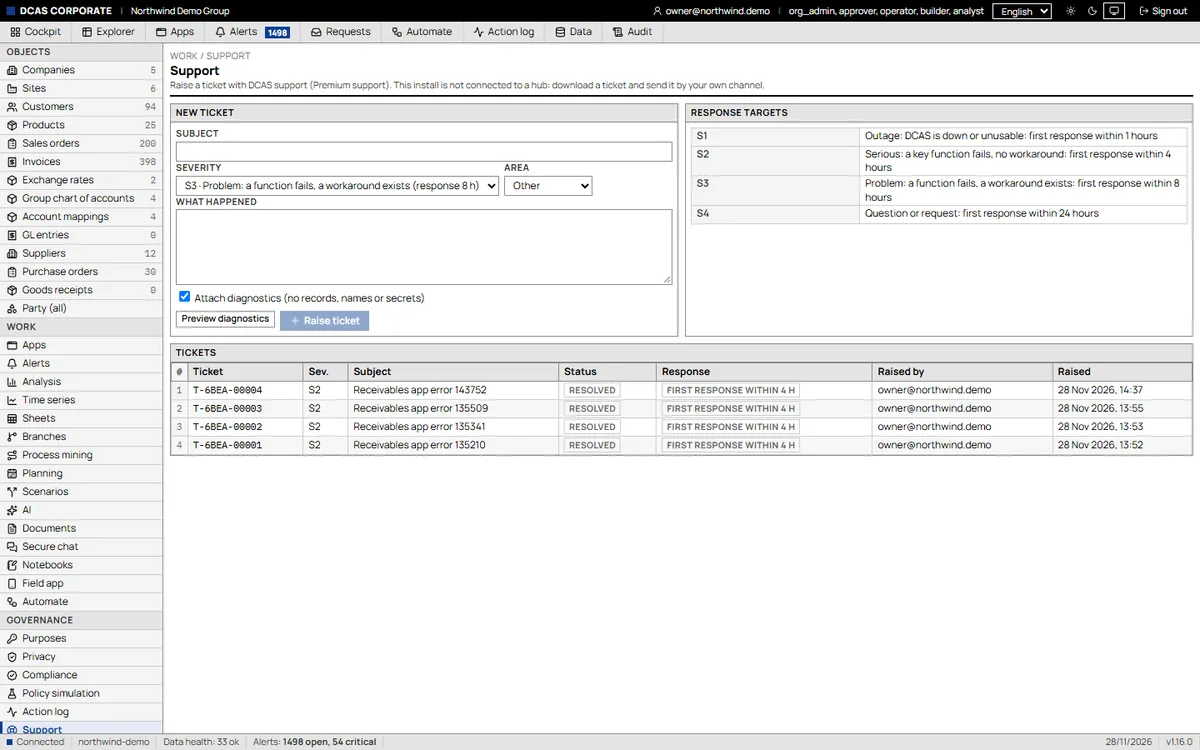
| Severity | Standard | Premium |
|---|---|---|
| S1 · outage | 4 hours | 1 hour |
| S2 · key function fails | 8 hours | 4 hours |
| S3 · workaround exists | 24 hours | 8 hours |
| S4 · question | 72 hours | 24 hours |
Architecture
| # | Component | Role | Notes |
|---|---|---|---|
| 1 | Edge | HTTPS, smart-card checks, serves the web application | The only component users reach |
| 2 | Control service | Sign-in, single sign-on, two-step sign-in, organisations, members, tokens | Signs short-lived access tokens |
| 3 | Engine | Ontology, Actions, governance, data, AI, workspace, fleet | Holds only the public key: cannot mint access |
| 4 | Worker | Schedules, syncs, rules, pipelines, change capture, outbox, metering | Scales out; jobs are claimed safely |
| 5 | Notebook sandbox | Runs analysts’ Python | No network at all, read-only, limited CPU and memory |
| 6 | PostgreSQL 16 | All data, with row-level security per organisation | Primary plus synchronous standby in a cluster |
| 7 | Redis | Sign-in throttling and sessions | No business data |
| 8 | Virus scanner (optional) | Scans every attachment | ClamAV, on your network |
| 9 | Local AI (optional) | Ollama or any OpenAI-compatible server | Your GPUs, allow-listed by host name |
Network zones
| Users | Reach the edge only, over HTTPS (TLS 1.2 or later), optionally with smart cards |
|---|---|
| Application zone | Control service, engine, worker and sandbox; outbound only to allow-listed sources, mail relay and model servers |
| Data zone | PostgreSQL and Redis; reachable from the application zone only |
| Backups | Encrypted before they leave the data zone; the key is kept separately |
| Kubernetes | Default-deny network policies; the sandbox has no egress at all, not even DNS |
A typical installation
| Before the visit | Sizing review, servers prepared, DNS name and certificate, read-only source access agreed |
|---|---|
| Day 1 | Preflight checks, bundle verified against our key fingerprint, install, first administrator, licence |
| Day 1 | Checks from outside: pages, blocked paths, headers; backup and restore drill |
| Days 2–5 | Connectors, mapping and reconciliation for the first use case |
| Handover | A written note: version, install id, licence, locations of keys and backups, drill result, support route |
What we need from your side
| # | Item | Notes |
|---|---|---|
| 1 | Servers | Linux (Ubuntu LTS or RHEL) with Docker and Compose, or a Kubernetes cluster |
| 2 | Name and certificate | A DNS name and a TLS certificate from your certificate authority |
| 3 | Mail relay | For alerts and notifications, over TLS |
| 4 | Source access | Read-only database or API access to the systems in scope, or a host for the on-site agent |
| 5 | Sign-in (optional) | Your identity provider (OpenID Connect) or smart-card authority |
| 6 | A backup target | A second disk or object store, and a safe place for the backup key |